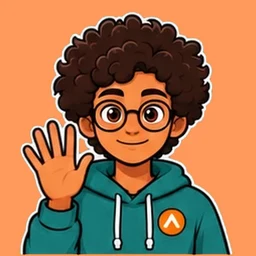
Apna 2D character kaise banaye
Reel mein promise kiya tha: mere jaisa character banane ka prompt. Ye raha. Tumhara character tumhara hoga, bas banane ka tareeka mera.
Na drawing, na Photoshop, na animator 🤖
AI se video kaise banaye
Ye guide part 2 ka hai. Pehle reel dekho, phir yahan se step by step karo.
- 1Poora setup: Claude Code + exact prompt + free voice clone
- 2Apna 2D character kaise banayetum yahan ho
- 3Animation kaise kaam karta hai (code se video)
- 4Captions perfectly sync kaise hote hain
- 5Ek reel ka asli kharcha, aur free mein kaise banayejaldi aa raha
Character image nahi, code hai
Claude Code character ko SVG mein likhta hai: circles, lines, curves aur rang. Isliye:
- Zoom karo, phat-ta nahi. Vector hai, har size pe sharp.
- Rang badalna ho, ek line badlo.
fill="#FF8A3D"ko kuch aur kar do. - Expressions = props. Khush, soch mein, shocked: same character, alag aankh, bhau aur munh.
- Munh awaaz ke saath hilta hai. Har frame mein awaaz ki loudness 0 se 1 ke beech aati hai. Awaaz tez, munh bada.
Part 1 ka master prompt chala liya hai? Toh ye character usi project mein fit ho jaayega.
Prompt mein bas 3 cheezein batao
Character prompt
Claude Code mein paste karo. Brackets [ ] apne hisaab se bharo. Apna khud ka character banao, kisi aur ka copy nahi: wahi tumhara brand banega.
Create a 2D cartoon presenter character for my vertical reels (1080x1920), as a React component drawn in pure SVG code (no images, no image generation).

MY CHARACTER (fill these in)
- What it is: [person / animal / robot / object]
- Look: [head shape, hair or ears, eyes, one signature detail like glasses, cap or antenna]
- Colours and outfit: [2 or 3 main colours, what it wears]
- Personality: [e.g. cheeky friend / calm teacher / hyper and excited]
- Expressions: [3 to 5, e.g. happy, thinking, surprised, wink]

STYLE
Flat 2D, built from simple shapes (circles, rounded rectangles, smooth curves). Bold, readable at phone size: big head, big eyes, small body. Keep the shapes clean so every part can move.

MAKE IT ALIVE (props)
- expression: one of my expressions above (eyes, brows and mouth change)
- open: 0 to 1, how wide the mouth is open; I will drive it from the voice loudness every frame
- blink: closes the eyes for a few frames every 3 to 4 seconds
- a tiny idle bob or head tilt so it never looks frozen
- size: width in px, plus a head-and-shoulders crop for my profile picture

SHOW ME
Render one preview image: every expression side by side, plus a mouth strip at open = 0, 0.5 and 1. Look at it yourself and fix anything off (uneven eyes, mouth outside the face, parts not lining up) before you show me. Then export the head-and-shoulders crop as a 1080x1080 PNG.
Aise bana reel wala robot
Reel wala orange robot part 1 ke master prompt se bana. Character ke liye bas ye bhara tha:
- What it is: a small round robot
- Look: a screen for a face with simple dot eyes, one antenna with a glowing tip, stubby arms
- Colours and outfit: orange body, cyan face, yellow antenna tip
- Expressions: happy, thinking, surprised, wink

happy · thinking · surprised · wink. Claude Code ne SVG mein likha. Ek fix bolna pada: haath body ke peeche chhup rahe the, toh bola "haath bahar nikalo".
Aur ideas
- Chai ka cup jiske upar se bhaap ki bhau banti hai ☕
- Ek billi jo har baat pe ek kaan uthaati hai 🐱
- Ek dadi jo chashma neeche karke dekhti hai 👓
Character ko brand banao
- Har reel mein same character. Log chehra yaad rakhte hain. Har baar naya character = har baar naya stranger.
- Ek signature detail. Chashma, antenna, topi: jo door se bhi pehchaan aaye.
- Expressions kaam se do. Twist pe shocked, payoff pe khush. Pura reel ek hi face = boring.
- Profile picture bhi wahi. Head-and-shoulders crop ko DP banao, reel aur profile match karenge.
- Design lock karo. Character set ho jaaye toh Claude ko bolo: "is design ko skill file mein lock karo, aage mat badalna".
Series mein aage aa raha hai
- Animation kaise kaam karta hai (code se video) (part 3)
- Captions perfectly sync kaise hote hain (part 4)
- Ek reel ka asli kharcha, aur free mein kaise banaye
Miss na ho, isliye follow kar lo 🔔
Ye "AI se video kaise banaye" series ka part 2 hai. Setup nahi kiya? Part 1 se shuru karo.
follow karo @techstackbro 👀