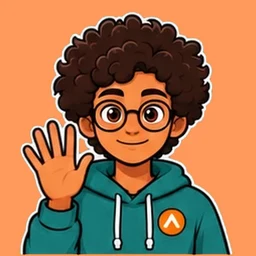
Apna 2D AI avatar kaise banaye
Reel mein promise kiya tha: avatar prompt + setup guide. Ye raha. Ek prompt se 20 poses ki sheet banao, phir code se munh aur blink lagao, aur tumhara apna talking puppet ready.
Pose AI se, munh code se 🎭
Pose image + code ka munh
Hum bhi seedha nahi pahunche. Teen koshishein:
- Attempt 1: avatar aur haath code se. Haath rubber jaise lachakte the. ❌
- Attempt 2: AI se sprite sheet, har pose aur har munh ki alag image. Images thodi thodi alag nikli, toh video mein kaanpna (flicker) aaya. ❌
- Fix: har pose ki sirf ek image, munh band. Munh aur blink code se upar draw hote hain, awaaz ke hisaab se. ✅

Neutral placeholder bust. Tum apna character daaloge.
Ye rules zaroori hain
- Ek sheet = ek generation. Mix karoge toh do alag style aa jayenge.
- Har cell mein munh band. Munh code se banega.
- Head same size, same jagah har cell mein. Sirf body aur haath badlein.
- Haath munh ya aankh ko cover na kare.
- Flat green background (#00FF00), taaki baad mein hata sako.
- White sticker outline rakho, green se alag dikhne ke liye.
- Kuch bhi cell ke edge se na kate (sirf kapde neeche se kat sakte hain).
- Fit nahi ho raha? Crop mat karo, character chhota karo.

20 poses, left se right, upar se neeche.
Sprite sheet prompt
Do brackets bharo, [CHARACTER] aur [STYLE]. Pehle ek single image banao jo tumhe pasand ho, aur use reference ke roop mein image generator mein attach karo.
Create ONE character sprite sheet image: a grid of 4 rows x 5 columns = 20 poses of the SAME character. Use the highest resolution available.

REFERENCE: I attached a reference image of my character. Copy that exact character (face, hair, outfit, colours, proportions) in every cell.
CHARACTER: [CHARACTER: describe face, hair, accessories, outfit, colours]
STYLE: [STYLE: e.g. 2D cartoon sticker / pixel art / anime / flat vector]
Use this one style for the whole sheet. Do not mix styles.

LAYOUT
- Square cells, all equal size, no gutters. No grid lines, no borders, no labels, no numbers, no text.
- Background: flat pure green #00FF00 in every cell. No gradient, no ground shadow, no green on the character.
- Same camera in every cell. The head is about 40% of the cell height, in the SAME position and SAME size in every cell, with the eyes at the same height. Only the body, arms and hands change.
- Nothing may touch or cross a cell edge (only the clothes may run off the bottom edge). If a pose does not fit, make the character smaller. Never crop.

FACE AND HANDS
- Mouth CLOSED in every pose (simple closed mouth). The mouth is animated by software later.
- Eyes open, looking at the viewer.
- Hands must never cover the mouth or the eyes.

OUTLINE
- Give the whole character a clean thick WHITE sticker outline, fully visible against the green.

THE 20 POSES (left to right, top to bottom)
Row 1: 1 idle, arms relaxed | 2 palms open, explaining | 3 finger up | 4 pointing right | 5 pointing left
Row 2: 6 pointing down | 7 holding up 1 finger | 8 holding up 2 fingers | 9 holding up 3 fingers | 10 open hand, 5 fingers
Row 3: 11 thumbs up | 12 OK sign | 13 hand on chin, thinking | 14 shrug, palms up | 15 waving
Row 4: 16 holding a phone screen toward the viewer | 17 arms crossed | 18 presenting with palm | 19 excited, rubbing hands | 20 heart hands

Before you output, check: 20 cells, same character and same style in all, head size and position identical, mouth closed everywhere, nothing cut by a cell edge, no hand over the face, flat green background, white outline visible. Fix anything that fails. Output only the finished sheet.
Sheet se talking avatar tak
- Sheet generate karo upar ke prompt se. Ek acchi sheet chuno.
- Cells kaato aur green hatao (chroma key). White outline rakho, taaki edges saaf rahein.
- Har pose mein munh ki jagah dhundo. Har pose mein head thoda alag jagah ho sakta hai, toh har pose ka mouth box alag note karo.
- Lip sync data banao. Free Rhubarb Lip Sync awaaz sunke batata hai kab kaunsa munh. Hinglish ke liye
--recognizer phoneticuse karo, wahi acche se chalta hai. - Munh upar draw karo har frame pe: band, chhota, khula, chauda, gol. Aur har 3 se 5 second mein blink.
- Har sentence ke liye pose chuno. Number bola toh utni ungliyan. Sawaal hai toh shrug. "Comment" bola toh point down.
- Render karo. Body pe sirf halka sway aur bob.
rhubarb -f json --recognizer phonetic -o mouth.json voice.wav
Rhubarb ka alag licence hai, repo mein check kar lo.
Claude Code starter prompt
Apne Remotion project mein Claude Code kholo, aur ye paste karo. Brackets [ ] bharo:
Build a talking 2D avatar in my Remotion project from a sprite sheet. Do not rig arms or hands.

MY FILES (fill these in)
- Sprite sheet: [path to sheet.png]
- Pose order (4 rows x 5 columns, left to right, top to bottom): idle, palms open, finger up, point right, point left, point down, 1 finger, 2 fingers, 3 fingers, open hand 5, thumbs up, OK sign, hand on chin, shrug, wave, phone screen, arms crossed, presenting palm, rubbing hands, heart hands
- Voiceover: [path to voice.mp3]
- Script with timings or sentences: [path or paste]

WHAT TO DO
1. Slice the sheet into 20 equal cells and remove the flat green background. Keep the white sticker outline clean (no green fringe).
2. In every pose the mouth is closed. Detect a mouth box (position and size) per pose and save them in a json file.
3. Generate lip sync cues from voice.mp3 with Rhubarb Lip Sync (free, use the phonetic recogniser for Hinglish).
4. Draw a programmatic mouth on top of the pose image at that pose's mouth box: closed, small, open, wide, round, switched by the Rhubarb cues. Add a blink every 3 to 5 seconds. Do not use separate mouth images.
5. Add only a light body sway and bob to the whole image. Never animate hands or arms.
6. Pick the pose per sentence from keywords in the script: numbers map to finger count, questions use the shrug, "comment" uses point down, otherwise rotate through the explaining poses so it never repeats twice in a row.
7. Render at 1080x1920, 30 fps. First render one test still in the middle of a sentence and look at it yourself: check the mouth position, the green fringe and the head jumping between poses. Fix, then ask me before the full render.
Kya is guide mein nahi hai
Hamara character, hamari sheets aur hamara tuned avatar engine private hain. Is guide se tum apna alag character aur apna basic engine bana sakte ho.
AI se video kaise banaye
Ye guide AI se video kaise banaye series ka hissa hai. Poori series yahan hai:
Poora video setup chahiye? Part 1 se shuru karo.
follow karo @techstackbro 👀